Back to explore5 copiesUpdated 1 month ago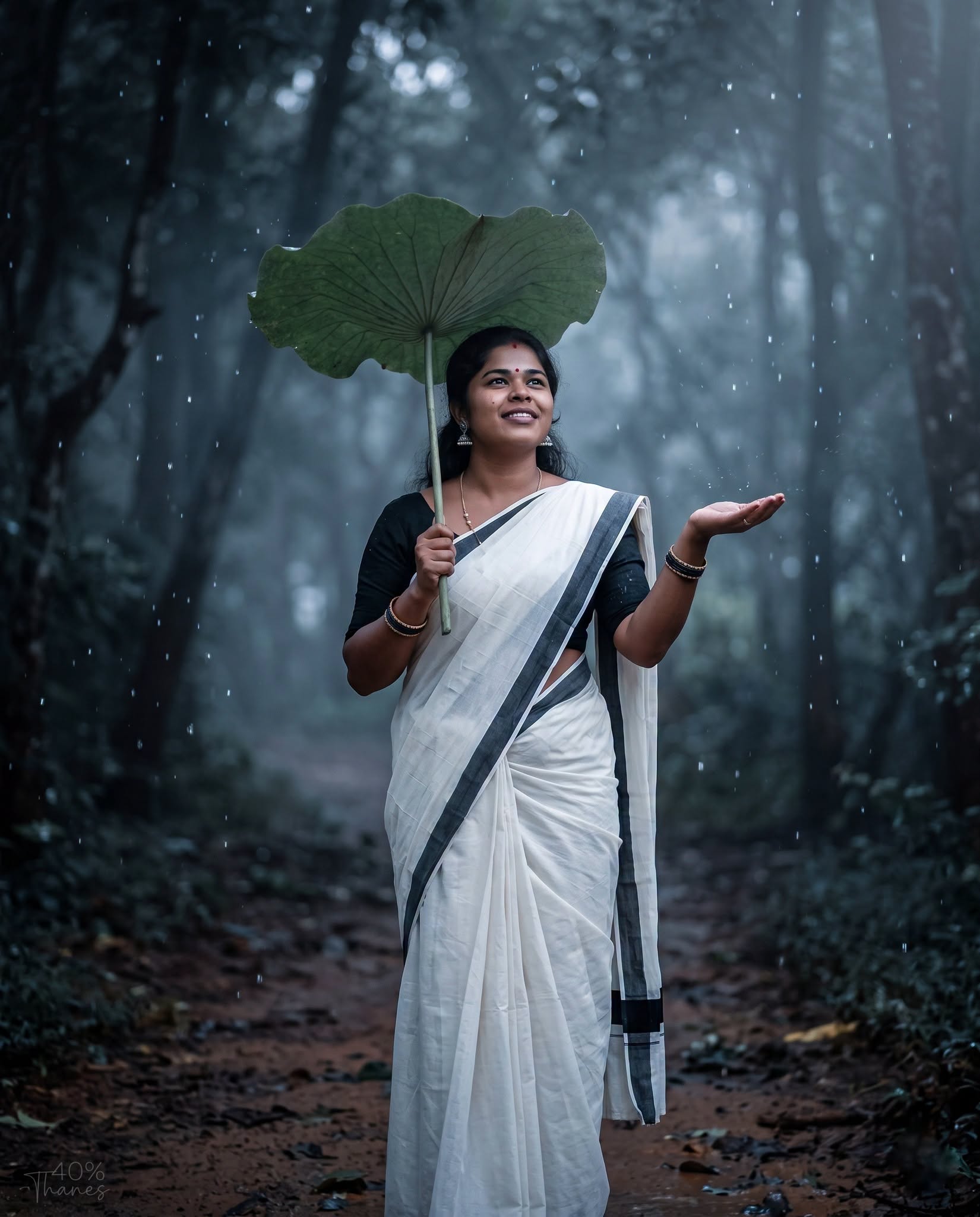
Girls
general
advanced
Rainy Lotus Grace – Premium Cinematic Saree Portrait
Create an ultra-realistic cinematic rainy portrait with exact face preservation, a white saree, lotus leaf umbrella, moody forest, gentle rainfall, HDR lighting, DSLR realism, premium color grading, and an elegant 8K luxury social media finish.
0.0 (0)
Prompt content
Replace the face with only the face from the uploaded image, preserving the eyes, nose, mouth, facial expression, skin tone, and identity exactly. Do not alter the facial structure. Use only the uploaded face without blending or generating a new face.
Create a high-end cinematic rainy portrait in Facebook Portrait (4:5) size. A young woman stands gracefully on a narrow forest pathway during a gentle evening rain, wearing a traditional white saree with a thin black border and a black short-sleeve blouse, matching the reference exactly. She holds a large lotus leaf above her head as a natural umbrella with one hand while extending the other palm outward to feel the falling raindrops. Her expression is calm, joyful, and dreamy as she looks slightly upward toward the rain.
Maintain the same costume style, elegant saree draping, traditional earrings, bangles, small black bindi, natural hairstyle, and overall appearance shown in the reference. Surround the scene with a dark, moody forest featuring blurred trees, soft mist, atmospheric depth, and realistic rainfall. Add floating rain droplets, cinematic bokeh, subtle fog, volumetric lighting, and a soft rim light around the subject. Use dramatic low-key lighting with cool blue-grey color grading, enhanced natural skin tones, ultra-detailed fabric textures, realistic wet effects on the saree (without being revealing), natural shadows, HDR quality, and professional cinematic color correction.
Capture the image with a professional DSLR, 85mm portrait lens, f/1.8 aperture, shallow depth of field, ultra-sharp facial focus, creamy background blur, photorealistic skin texture, 8K Ultra HD quality, premium cinematic photo manipulation, and a luxury social media poster finish.
Add a small "Thanes" watermark with approximately 40% opacity, placed subtly in a bottom corner so it is visible but not distracting, blending naturally into the image.
Do not include any other text, logo, signature, date, frame, border, or extra objects anywhere in the image.
Reviews (0)
Leave a review
No reviews yet
Be the first to share your experience and tips for getting the best output with this prompt.