Back to explore22 copiesUpdated 16 days ago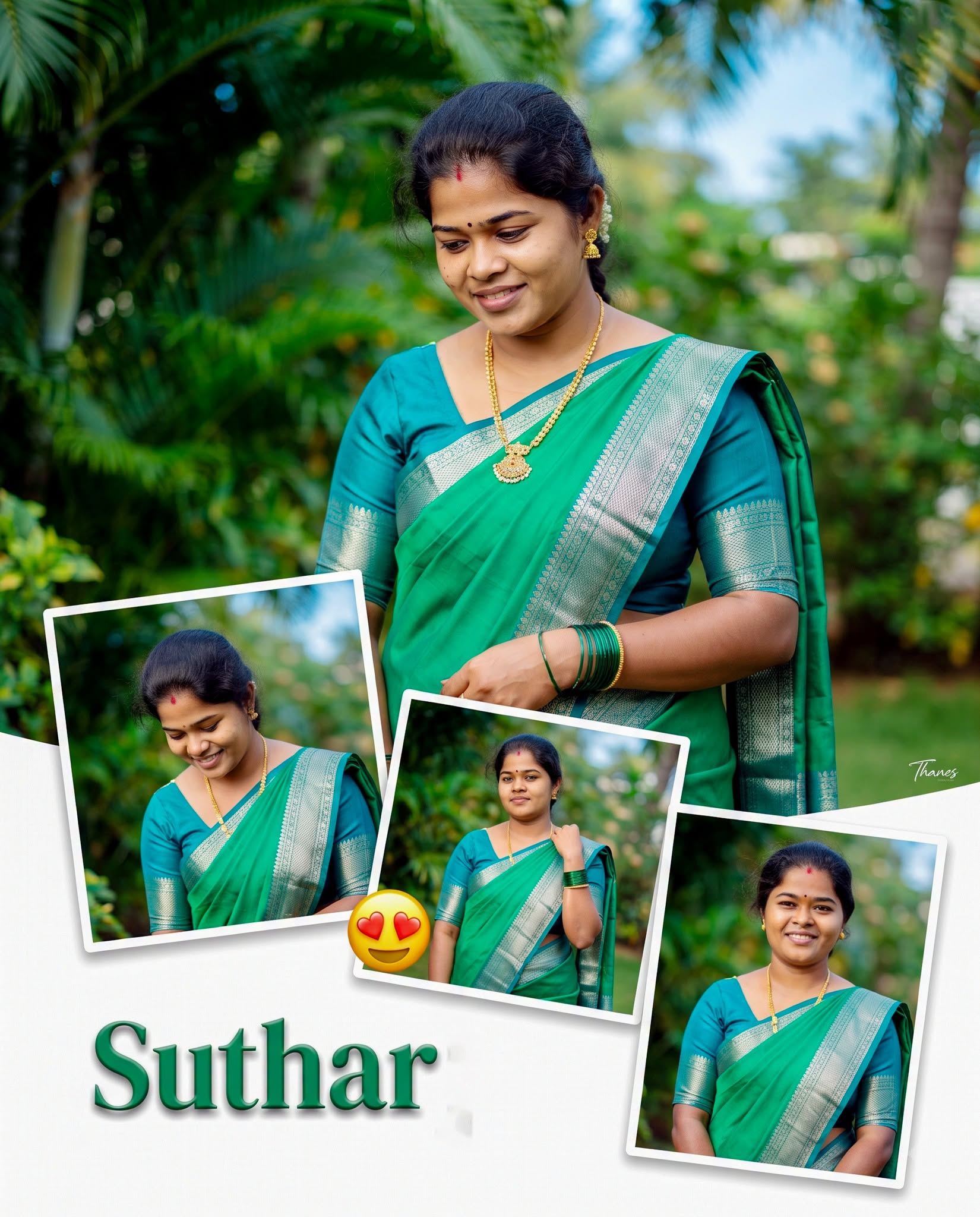
Girls
general
advanced
Emerald Saree Multi-Photo Collage Poster
Create a premium collage preserving the woman’s original face exactly, featuring an emerald-green saree, tropical garden, layered portrait frames, vibrant colors and elegant editable name typography.
0.0 (0)
Prompt content
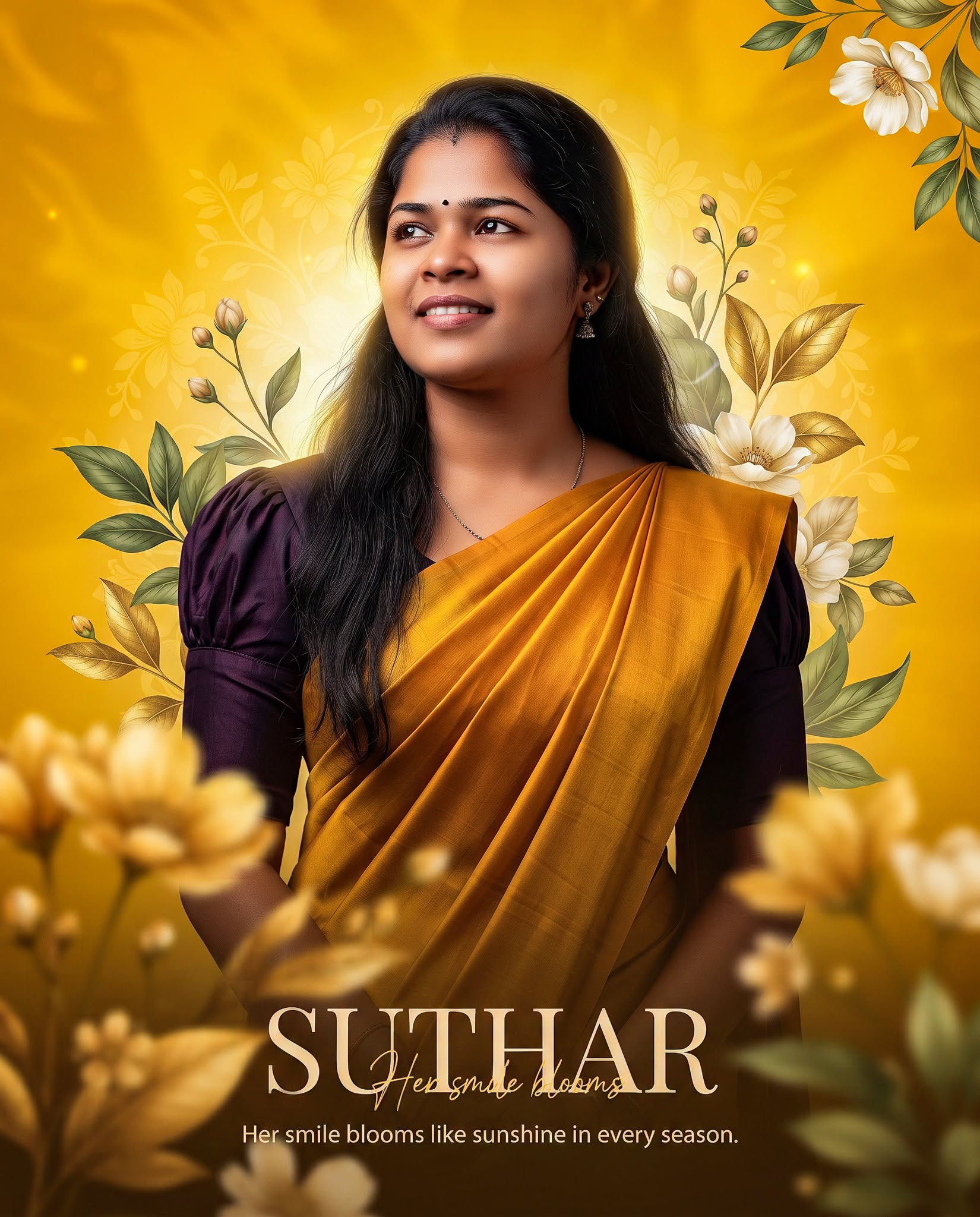
NAME: [Suthar]
Place [NAME] prominently on the FIRST LINE in large elegant bold typography.
The [NAME] text must be fully editable/replacement-friendly, so only the name changes when a different name is entered.
Create a premium ultra-realistic Facebook portrait collage poster inspired by the reference image.
Use the uploaded person's ORIGINAL FACE exactly as provided.
Preserve the exact identity, eyes, eyebrows, nose, lips, smile, face shape,
skin tone, hairstyle and natural facial structure.
Do not change, beautify, reshape or regenerate the face.
Main subject:
A graceful South Asian woman wearing a vibrant emerald-green saree
with a rich teal/peacock-blue blouse.
The saree has a beautiful silver-gold woven border with traditional detailing.
The pallu falls naturally across the body.
Add matching green bangles, elegant traditional earrings and a delicate necklace.
Main portrait:
Place the main large portrait in the upper-right/center area.
She is looking downward slightly with a gentle natural smile.
Her head is tilted subtly toward the LEFT.
Long black hair flows naturally behind her.
Create a soft, elegant and feminine expression.
Background:
Lush tropical outdoor garden environment.
Deep emerald-green foliage, large soft green leaves and natural plants.
Add subtle blue sky/light-blue bokeh patches in the distant background.
Use strong green, teal and turquoise tones.
Keep the background beautifully blurred with creamy bokeh.
Create a stylish multi-photo collage:
Include three smaller rectangular portrait photographs overlapping the main image.
Use thin clean WHITE photo borders around each smaller photograph.
One smaller image on the LEFT,
one larger image near the LOWER-CENTER,
and one image tilted slightly on the RIGHT.
Use different natural poses of the same person in the smaller photographs:
one looking downward with a gentle smile,
one standing confidently with one hand near the shoulder,
one standing naturally while smiling toward the camera.
Keep the SAME face and SAME outfit in every photograph.
All smaller portraits must look like genuine photographs of the same person.
Add subtle decorative heart-eyes emojis between some collage photographs,
matching the playful style of the reference without overpowering the portraits.
Bottom section:
Leave a clean area at the lower-left/lower-center for the [NAME] typography.
Use bold modern green 3D-style lettering with a subtle dark shadow.
Keep the name highly readable and premium.
Lighting:
Bright natural daylight from the FRONT-LEFT.
Soft highlights on the face and saree.
Natural shadows.
Warm skin tones with vibrant green environmental colors.
Photography:
Professional DSLR photography look,
85mm portrait lens,
shallow depth of field,
beautiful creamy bokeh,
sharp facial details,
realistic skin texture,
high-end portrait photography,
natural fabric texture and realistic hair details.
Color palette:
Emerald green, vivid green, teal blue, turquoise,
silver-gold saree border, natural skin tones and soft sky blue.
Composition:
Vertical 4:5 Facebook size.
Premium balanced collage composition.
Keep the main face large, sharp and unobstructed.
Do not crop the head or important body areas.
Maintain clean white borders around the smaller photos.
Photorealistic, ultra-detailed, cinematic color grading,
professional fashion photography finish,
bright vibrant colors, realistic proportions and natural expressions.
Do not copy any watermark, logo, photographer name or text from the reference.
Add a small elegant semi-transparent “Thanes” watermark subtly in one corner.
No unnecessary text except [NAME].
Reviews (0)
Leave a review
No reviews yet
Be the first to share your experience and tips for getting the best output with this prompt.