Back to explore0 copiesUpdated 1 day ago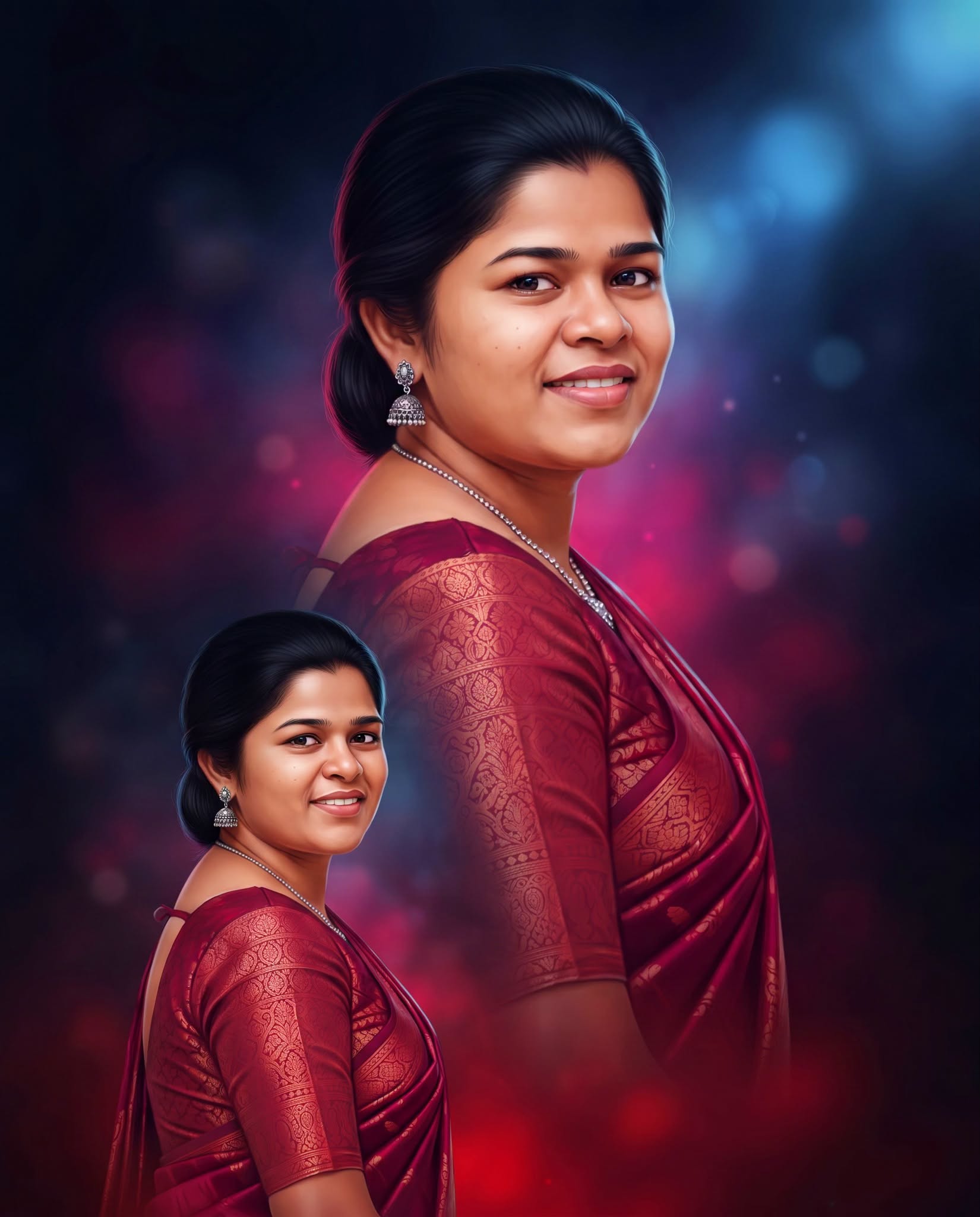
Art
general
advanced
Crimson Saree Cinematic Digital Portrait
Create a realistic cinematic digital painting with the woman’s exact identity preserved, featuring two matching portraits in a richly patterned crimson saree against a dark atmospheric bokeh background.
0.0 (0)
Prompt content
Create a premium realistic digital painting portrait in Facebook 4:5 vertical format, 1080×1350 px, using the uploaded photo as the exact reference.
Keep the woman’s original face EXACTLY unchanged.
Do not change her eyes, eyebrows, nose, lips, teeth, smile, face shape, expression or identity.
Preserve her natural facial proportions and recognizable appearance.
Recreate the same two-portrait composition as the reference.
Place a large close-up portrait in the upper portion.
Place a smaller portrait in the lower-left portion.
Both portraits must be the SAME woman with the SAME face.
Keep the same sideways pose and direction.
She is slightly turned away while looking back toward the camera with a beautiful natural smile.
IMPORTANT CLOTHING DETAILS:
She is wearing a rich deep red / crimson-red traditional saree.
The saree has beautiful darker red and pinkish-red tonal variations.
The fabric contains intricate traditional woven patterns in golden-red / light-red tones.
The saree should have a rich glossy textile appearance with visible woven texture.
The blouse is also deep red/crimson with the same traditional patterned design.
Keep the saree and blouse elegant, traditional and richly detailed.
Do not change the saree into another color.
Do not replace the saree with a different dress.
Do not simplify or remove the traditional patterns.
Both the LARGE portrait and SMALL portrait must wear EXACTLY the same red saree and the same patterned red blouse.
Keep the same saree color, pattern, fabric texture and styling in both portraits.
Keep her dark black hair pulled back naturally with a neat hairstyle.
Keep the delicate silver earrings exactly visible.
Keep the thin elegant silver necklace.
Do not add different jewelry.
Create a dark cinematic background using black, deep navy blue, dark purple, magenta and crimson-red colors.
Add soft blurred blue light near the upper-right.
Add subtle purple and magenta glowing bokeh around the background.
Add a soft deep-red glow toward the lower area.
Keep the background abstract, blurred and atmospheric.
Render the portraits as high-end realistic digital painting.
Keep the face highly realistic with refined digital brushwork.
Preserve natural skin texture, realistic eyes, eyelashes, eyebrows, lips, teeth and hair.
Use soft cinematic lighting and subtle highlights on the face.
Add gentle rim light around the hair and shoulders.
Make the red saree richly painted with realistic fabric folds, woven patterns and subtle highlights.
Maintain realistic body proportions and natural anatomy.
Do not create plastic skin, doll-like features or cartoon appearance.
Luxury Indian cinematic digital portrait painting style.
Premium professional studio-quality digital artwork.
Deep cinematic color grading, realistic lighting, detailed fabric and elegant painterly finish.
Do not add any text.
Do not add letters.
Do not add captions.
Do not add typography.
Do not add logo.
Do not add watermark.
Do not add extra people or objects.
Final result must closely match the uploaded reference composition, clothing, colors, pose and mood while appearing as a beautiful realistic digital painting.
Facebook-ready 4:5 vertical composition, 1080×1350 px, ultra-detailed, premium cinematic finish.
Reviews (0)
Leave a review
No reviews yet
Be the first to share your experience and tips for getting the best output with this prompt.